


The San Diego Union-Tribune
2.5120.00 Reviews
App Specs
- Version
- 10.0.60
- Updated On
- License
- Free
- Downloads
- 10,000+
- Developer
- MediaNews Group, Inc.
- Categories
- News & Magazines
- Platform
- Android
Screenshots


 Analysis by AppCompare
I tend to judge a local news app by one practical question: can it help me follow the place I care about without turning every spare moment into a scroll through unrelated headlines? The San Diego Union-Tribune is built around that local focus, bringing San Diego reporting into a single mobile reading experience. I see its strongest appeal in the way a reader can move between subjects that affect daily life in the same city, rather than treating local news as a small add-on to a national feed.
That focus is useful whether you live in San Diego, have family there, or simply want to keep up with the region from elsewhere. It also sets a clear limit: if what you want is a broad, multi-city news overview, a national news app may be a better starting point. This is a news and magazines app from MediaNews Group, Inc., and its value depends on how much San Diego coverage matters to you.
A local lens that connects different interests
Local news can be easiest to follow when it is not confined to one topic. A story about business may matter to someone tracking the local economy; sports coverage can be the reason another reader opens the app; lifestyle reporting can help someone decide what to do this weekend. The practical benefit of a city-focused publication is being able to keep those interests within one place and see them as parts of the same community.
I would use it less as an endless stream to check whenever I am bored and more as a regular local briefing. That distinction matters. A focused publication is most helpful when I have a reason to follow what is happening in San Diego; it is less compelling if my reading habits are mostly about national or international stories.
What to consider before making it a daily habit
The app is free to install, but in-app purchases are listed from $4.99 to $199.99 per item, so I would check the subscription or purchase terms shown in the app before committing to paid access. Some content may be reserved for subscribers, which means the free experience may not include everything a frequent reader wants. I would first try the app with the stories available to me, then decide whether the coverage I value justifies a purchase.
Its average rating is 2.6 from 217 ratings, a reason to approach it with realistic expectations rather than assuming every part of the experience will suit every phone or reader. It has 10K+ installs, and the current version is 10.0.52. The app is rated Everyone 10+ and requires Android 8.0 or later. It was released on Sep 14, 2016, so it has been around long enough to be an established publication app, while its current version is the one to check for compatibility before installing.
A sensible way to try it
For a low-pressure test, I would start by choosing a specific reason to use it: follow local reporting, check sports coverage, or look for ideas for a weekend in the city. Then I would see whether the app’s organization makes those stories easy to return to and whether the amount of coverage matches my routine. If I only need a quick headline scan, a general news aggregator may be faster; if I want to stay close to San Diego, a local publication has a more direct purpose.
Worth Reading Before You Choose

Flipboard Shows What News Apps Must Do Beyond the Feed

Switching to Android Auto Means Rethinking Your Driving Routine

Google Calendar Makes a Crowded Week Easier to Manage

Ludo King Makes the Most of the Minutes Between Plans

Baby Panda World Brings Quick Play to Modern Phones, but Its Game Library Feels Busy

ESPN’s Live Game View Makes Following Close Games Easier
The main trade-off is therefore focus versus breadth. A national aggregator can put many outlets and regions side by side, but that convenience can make local reporting feel like just another item in a crowded feed. A dedicated local app asks me to spend more attention on one area, and that is a good exchange only when San Diego is genuinely relevant to my life.
Getting Started: First Impressions
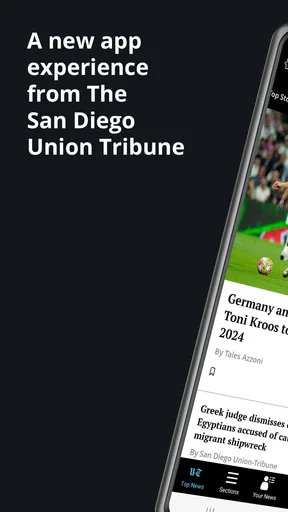
From the moment I opened the app, I was greeted with a sleek and user-friendly interface. The layout is clean, making it super easy to navigate. Everything is organized into sections like News, Sports, Business, and Lifestyle, which I found incredibly helpful. No more endless scrolling to find what you’re looking for!
News at Your Fingertips
The San Diego Union-Tribune app excels in delivering timely and relevant news. Whether it's breaking news or in-depth investigative pieces, the app covers it all. The articles are well-written, providing comprehensive coverage without overwhelming you with information. One feature I love is the push notifications for breaking news. It keeps me in the loop without having to constantly check the app.
Notifications work best for me when I treat them as a prompt to check a story, not as a complete account of it. For an alert that matters, I open the article when I have time to read it and use the app as the place to follow the local context. If I am trying to limit interruptions, I would be selective about which notifications I allow; a steady stream of alerts can make even useful updates feel intrusive.
A realistic routine might be to check local coverage over breakfast, then return to a developing story later rather than repeatedly refreshing throughout the day. That keeps the app useful without making it another source of constant distraction. Readers who only want a quick summary may prefer a brief headline digest, while those who want a fuller understanding of a San Diego issue are more likely to appreciate spending time with the reporting itself.
Sports and Entertainment
For sports enthusiasts, the app offers extensive coverage of local teams. From the Padres to college sports, you won’t miss a beat. The sports section includes scores, schedules, and even player interviews. As for entertainment, the app keeps you updated on the latest events and happenings around the city. It's perfect for planning a weekend outing or discovering new local favorites.
The useful workflow here is to separate following a team from planning an outing. A sports reader can check coverage when there is a particular game or development they care about, while someone arranging a weekend can browse entertainment stories when making plans. I would not treat a newspaper app as a complete event-booking tool; its role is to help me discover and understand local happenings, then I can decide what to do next.
Business and Lifestyle
Beyond news and sports, the app has a robust business section that covers everything from local startups to major corporate news. It's a great resource for professionals and entrepreneurs alike. The lifestyle section, on the other hand, is your guide to San Diego’s vibrant culture. From restaurant reviews to art exhibitions, it’s got everything you need to enjoy the city to the fullest.
These sections can also make local reading useful for people whose connection to the city is practical rather than purely recreational. Someone considering a move, following an industry, or keeping in touch with a local workplace may find business coverage more relevant than the main headlines. A resident looking for a new place to eat or a cultural outing can turn to lifestyle reporting for ideas. I would use those articles as informed starting points, not as a substitute for checking current details before making plans.
Customization and Features
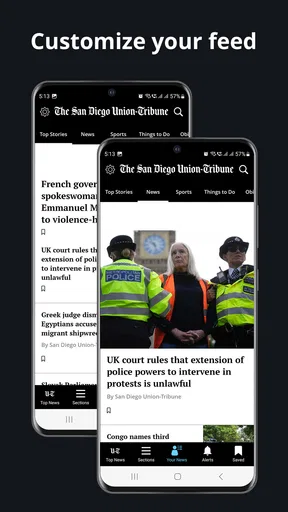
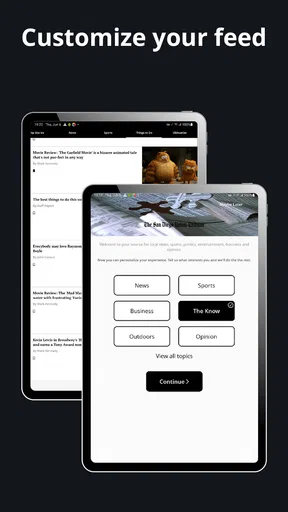
One of the standout features is the app’s customization options. You can tailor your feed based on your interests, ensuring you see the content most relevant to you. The search function is also top-notch, allowing you to find articles or topics with ease. And if you’re a subscriber, you get access to exclusive content that’s not available elsewhere.
My practical tip is to use customization to reduce the work of finding the sections I actually read, rather than trying to follow every subject at once. Search is useful in a different way: it can help when I want to revisit a topic or look for coverage around a name or subject, instead of relying on the latest feed position. Since subscriber access changes what a reader can open, I would check how much of my regular reading is available before paying, rather than assuming every article will be included without limits.
The app also includes a built-in e-newspaper feature. If you’re someone who prefers the traditional newspaper layout, this feature is a treat. You can flip through pages as if you were holding a physical paper, which I found particularly nostalgic and enjoyable.
The e-newspaper is a distinct choice from browsing sections as a feed. I would reach for it when I want a more deliberate, page-by-page reading session, and use the standard app layout when I have a specific subject in mind. That gives readers two different ways to approach the same publication: a structured edition for a focused sit-down and topic-led navigation for shorter visits. If I mostly read a few selected stories, the conventional article view is likely the more efficient fit.
Who is likely to get the most from it?
I think the app is best suited to San Diego residents who want local reporting within reach, people with ongoing personal or professional ties to the city, and readers who enjoy following more than one local subject. It may also suit someone who has moved away but still wants a regular connection to the region. The local emphasis is the point, so the closer San Diego is to a reader’s everyday concerns, the more likely the app is to earn a place on their phone.
I would skip it if I rarely read local news, mainly want coverage from many places, or prefer a single short digest over full articles. In those cases, a general aggregator or a publication focused on broader news may be more convenient. Readers who dislike notifications can still approach it as an on-demand reading app, but anyone who expects every story to be free should review the in-app purchase options before building a routine around subscriber content.
Final Thoughts
All in all, the San Diego Union-Tribune app is a fantastic resource for anyone looking to stay informed about San Diego. Its user-friendly interface, comprehensive coverage, and customization options make it stand out among other news apps. Whether you’re a local or just have a keen interest in the city, this app is worth the download.
So, if you’re ready to stay updated on all things San Diego, give this app a try. It’s like having the pulse of the city right in your pocket! Trust me, you won't regret it.
Pros
- Comprehensive local news coverage.
- User-friendly interface and navigation.
- Regular updates with breaking news.
- Customizable notification settings.
- Offline reading available.
Cons
- Requires subscription for full access.
- Occasional ad interruptions.
- Limited international news coverage.
- Some features need a stable connection.
- App size may be large for some devices.
FAQs for The San Diego Union-Tribune
What features does The San Diego Union-Tribune app offer?
The San Diego Union-Tribune app provides users with comprehensive news coverage, including local, national, and international stories. It offers real-time updates, in-depth articles, interactive multimedia content, and a customizable news feed. Users can also access opinion pieces, editorials, and a variety of special reports directly from the app.
Is The San Diego Union-Tribune app free to use?
The app is free to download and provides limited access to news articles and features. However, full access to all content, including premium articles and archives, requires a subscription. Users can choose from various subscription plans, which often include a free trial period to experience the full range of features before committing.
How often is the content updated in The San Diego Union-Tribune app?
Content within The San Diego Union-Tribune app is updated continuously throughout the day. Users receive real-time updates on breaking news and important stories. Additionally, regular updates ensure that users have access to the latest articles, multimedia content, and interactive features, helping them stay informed about current events.
Can I personalize my news feed in The San Diego Union-Tribune app?
Yes, the app allows users to customize their news feed according to their interests. By selecting preferred topics, such as local news, sports, or business, users can tailor their experience to receive more relevant content. This personalization ensures that users can focus on stories that matter most to them.
What devices are compatible with The San Diego Union-Tribune app?
The app is available for both Android and iOS devices. It requires Android version 5.0 or later and iOS version 11.0 or later. The app is optimized for smartphones and tablets, offering a seamless user experience across different screen sizes. Regular updates ensure compatibility with the latest operating systems.


